3.7 Monitor Orchestrator Staging#
Capability summary#
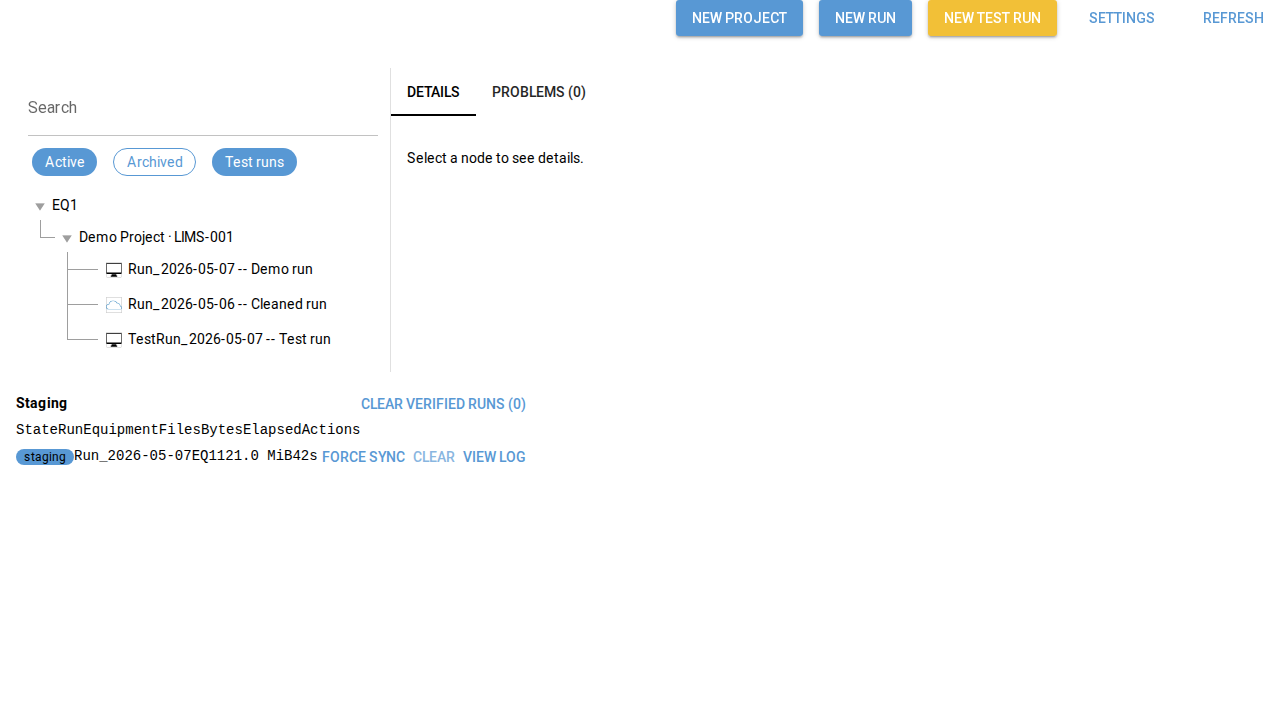
When orchestrator.enabled: true in config.yaml, the application
exposes a staging dock that surfaces the live state of the
<staging_root>/ directory. Each staged run has an ingest.json that
records its current lifecycle state, file count, byte total, and
elapsed time since last activity; the dock summarises every staged
run as a row, with per-row actions (force sync, clear verified, view
log). Action semantics are backend operations defined in design spec
section 13.7; the operator sees their effects via the row state and
the cleared-verified count. See section 02 §3.7 for the authoritative
contract.
Walkthrough#
Open the staging dock. Either navigate directly to the staging surface (
/stagingin the test app) or open the main window with the orchestrator panel enabled (/main?orchestrator=1).Inspect rows. Each row (
data-testid="staging-row-<idx>") surfaces the current ingest state and aggregate counters.Take action. Per-row buttons drive the backend operations; force-sync (
data-testid="staging-row-<idx>-force-sync") re-queues the run, clear (data-testid="staging-row-<idx>-clear") marks the row cleared, and view-log (data-testid="staging-row-<idx>-view-log") opens the log viewer.
Screenshots#