3.6 Configure Equipment, Paths, and Integrations#
Capability summary#
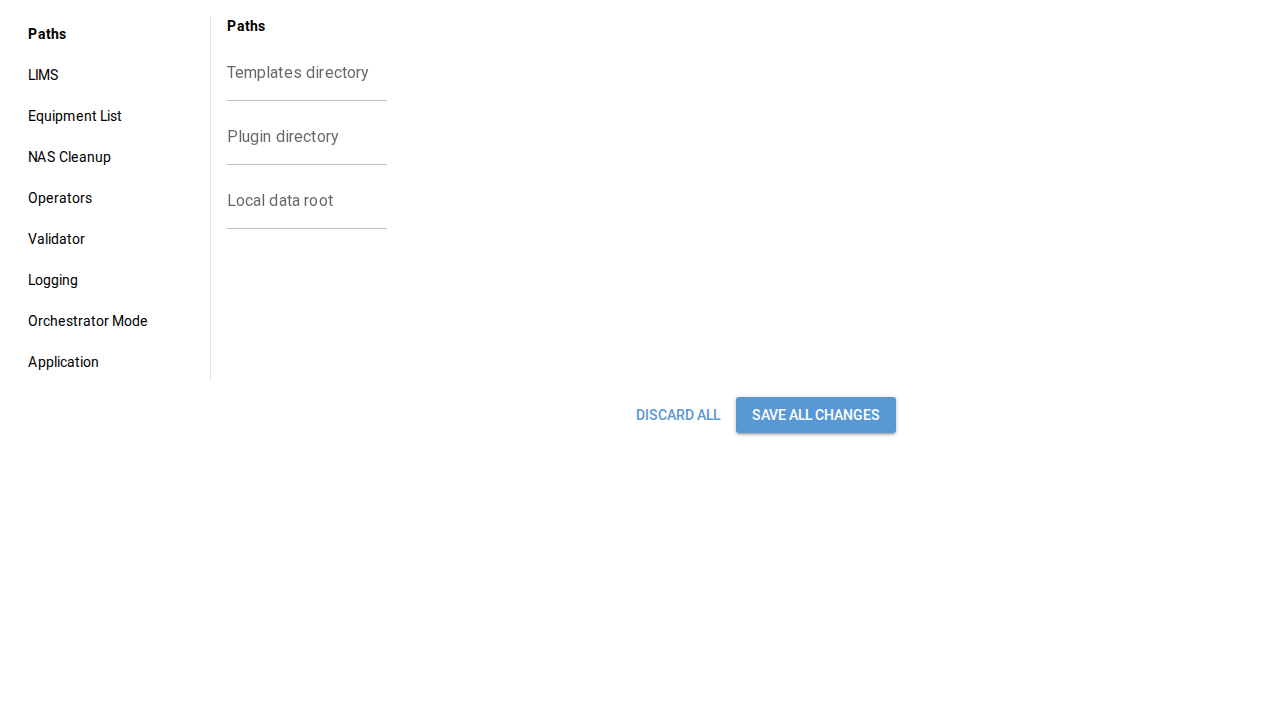
The Settings dialog is the only operator-facing surface for editing
config.yaml. It groups the editable surface into nine sections,
including paths (templates, plugins, local data root, NAS sync root),
equipment registry, LIMS endpoint, orchestrator toggle and staging
root, and notification preferences. On save, validation runs first –
paths must be resolvable, the DB connection string must parse,
equipment IDs must be unique and filesystem-safe – and then the
config is written via ruamel.yaml to preserve comments and key
order. See section 02 §3.6 for the authoritative contract and section
09 of the design spec for the configuration-file schema.
Walkthrough#
Open Settings. From the toolbar, click the Settings button (
data-testid="toolbar-settings").Navigate sections. The left rail lists each section (
data-testid="settings-nav-<section>"). The body (data-testid="settings-section-<section>") updates as the operator selects.Edit, then save. The Save button (
data-testid="settings-save") runs validation; on success the dialog renders the saved-marker (data-testid="settings-saved"). The Discard button (data-testid="settings-discard") abandons pending changes.
Screenshots#