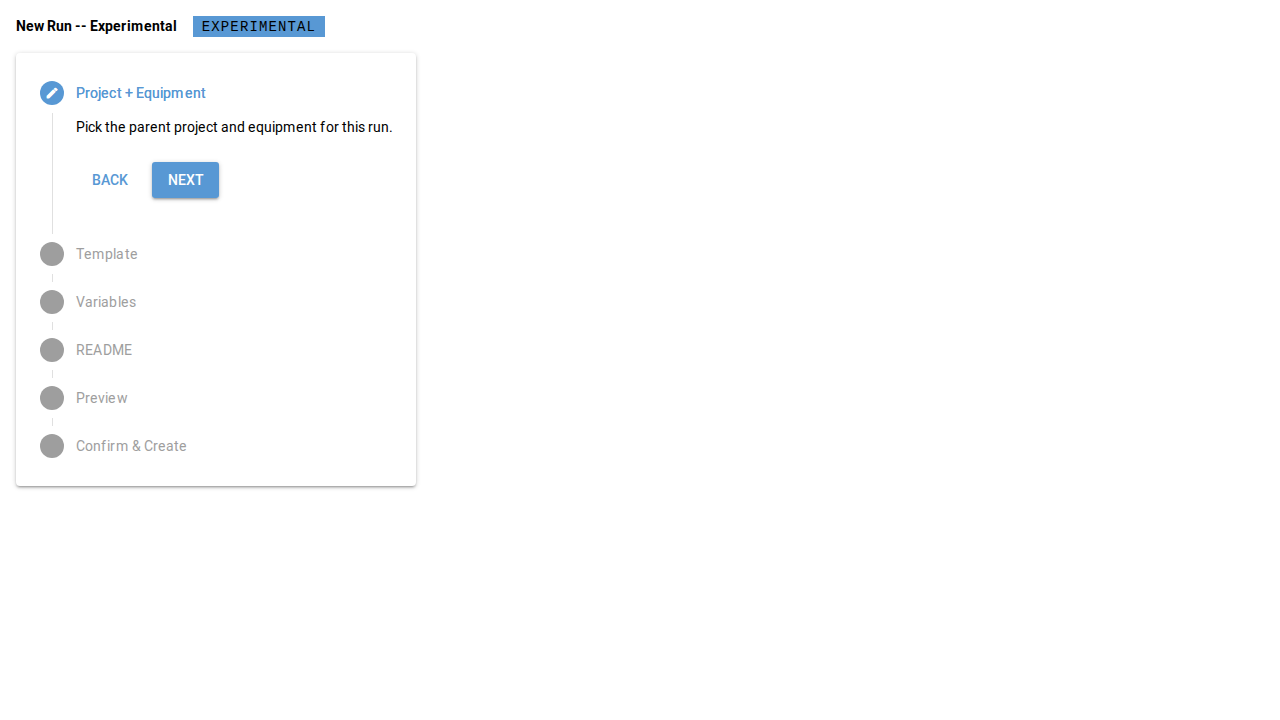
3.2 Create a New Experimental Run#
Capability summary#
From within a selected <equipment>/<project> context, the operator
chooses a run-scope template whose _exlab_run_scope includes
"experimental", fills the variable form and the README form, and
confirms. The controller validates, Copier renders into
<local_root>/<equipment>/<lims_short_id>/Run_<ISO8601_DATE>/, plugins
execute (host-driven post-render pass), the .exlab-wizard/ cache is
written with run_kind: "experimental", and the run is queued for
sync. See section 02 §3.2 for the authoritative contract.
Walkthrough#
Open the wizard. From the toolbar, click New run (
data-testid="toolbar-new-run").Confirm the mode. The mode badge shows Experimental; this binding cannot be changed mid-session (section 02 §4 mode invariant).
Step through the six-step stepper. Project context, template selection, variable form, README form, preview, confirm.
Submit. The Create button finalises the run; the wizard renders a success card.
Screenshots#